

Your phone's wallpaper is on screen every time you unlock it. Getting it right like sharp, well-fitted, and something you actually want to look at matters more than most people think until they've gone through a dozen bad downloads to find one good one. Two platforms dominate the conversation for free wallpapers: Zedge, built specifically for mobile personalization, and Unsplash, a professional photography library that happens to work well for wallpapers too.
They solve different problems. Zedge is an all-in-one personalization app. Unsplash is a photography platform whose content people repurpose as wallpapers. In this guide you will find out which one fits you better.
Quick Comparison Table
Feature | Zedge | Unsplash |
|---|---|---|
Primary purpose | Mobile personalization | Professional photography library |
Wallpaper types | Illustrated, photographic, AI-generated, live | Photography and illustrations |
Ringtones | Yes | No |
AI wallpaper generator | Yes | No |
Editing tools | Yes (crop, trim, set) | No |
Mobile app | iOS and Android | iOS and Android |
Free to use | Yes | Yes |
Premium tier | Yes | No |
Creator attribution | Community contributors | Named contributors; attribution encouraged but not required |
Best for | All-in-one mobile customization | High-quality photography wallpapers |
What Is Zedge?
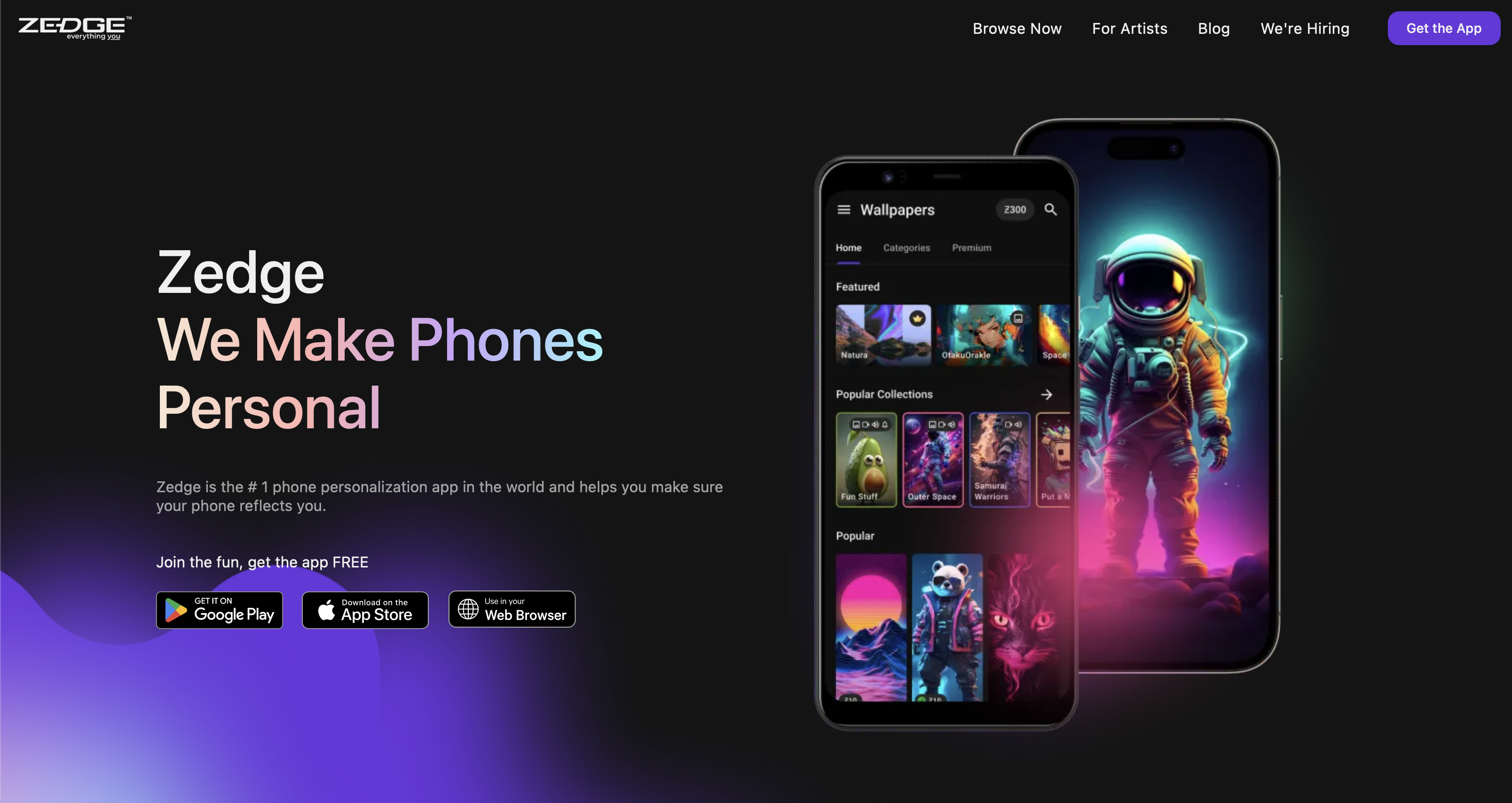
Zedge is a mobile personalization platform with a library that covers wallpapers, ringtones, notification sounds, alarm tones, icon packs, and live wallpapers. It launched as a ringtone platform and has expanded significantly, the current version includes an AI wallpaper generator that lets users create original images from text prompts, a built-in editor for cropping and fitting images to screen, and curated collections updated regularly across every aesthetic category.
The library spans abstract art, photography, illustrated themes, anime, pop culture, nature, and culturally specific content. It ranks consistently among the best wallpaper apps on both iOS and Android, and the breadth of content is what separates it from single-purpose download platforms.
Zedge is designed for mobile-first users who want one app that handles everything: finding a wallpaper, setting a ringtone, and customizing their home screen without switching between multiple tools.
What Is Unsplash?
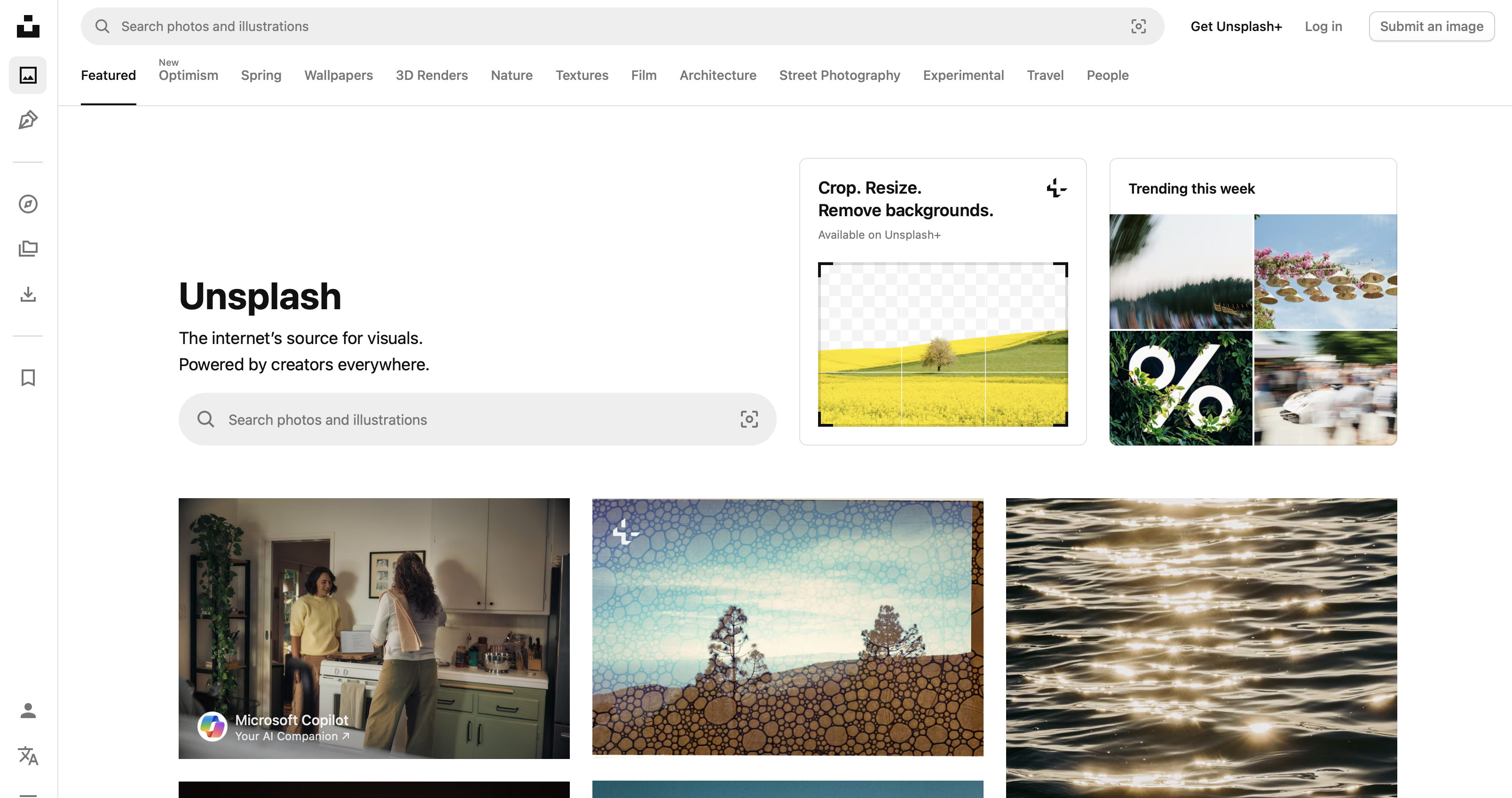
Unsplash is a photography platform that hosts millions of high-resolution images contributed by professional and semi-professional photographers worldwide. All images are available under the Unsplash License, which permits free personal and commercial use without attribution. The library covers landscapes, architecture, portraiture, abstract photography, food, travel, and dozens of other categories.
Unsplash is not a wallpaper app. It doesn't have wallpaper-setting tools, doesn't resize images for your specific device, and doesn't offer ringtones, live wallpapers, or any other personalization features. What it does offer consistently, and at scale is some of the best free photography available anywhere online. Users who treat it as a wallpaper source save images to their camera roll and set them through their device's native settings.
Unsplash is designed for photographers, designers, and content creators who need high-quality imagery. Its secondary audience is users who want photographic wallpapers and are willing to handle the sizing and setting process themselves.
Zedge vs Unsplash: Feature-by-Feature Comparison
Content Variety & Quality
Zedge and Unsplash approach content from entirely different angles, and both are strong within their respective lanes.
Unsplash's photography library is genuinely exceptional. The images are professionally shot, the curation is tight, and the resolution is consistently high. For users who want a landscape, an architectural photo, or an abstract image as their wallpaper, Unsplash will almost always have something worth using.
Zedge's library is broader by design. Illustrated wallpapers, AI-generated images, live wallpapers, anime, gaming content, seasonal collections, and culturally specific themes are all part of the catalog. Users who want the best Narasimha wallpapers or other devotional imagery will find dedicated, regularly updated collections on Zedge, content that Unsplash's photography-only model doesn't accommodate. For AMOLED displays where deep blacks render as true off pixels, the best AMOLED wallpapers tend to be high-contrast illustrated images rather than photography, a category Zedge carries and Unsplash largely doesn't.
Both platforms update regularly. Unsplash adds new photographer submissions continuously; Zedge refreshes collections based on trends and seasons.
Customization Options
This is where the two platforms diverge most significantly.
Zedge has a built-in editor that handles cropping, repositioning, and fitting images to your screen before setting them. It also has an AI wallpaper generator. Type a prompt, generate an original image, and set it directly. Beyond wallpapers, the platform covers ringtones, notification sounds, and icon packs, making it a genuine all-in-one tool for mobile personalization. Users who want the best iTheme design wallpapers and a matching home screen setup will find Zedge's category structure and editor make that kind of coordinated aesthetic easier to achieve than assembling it from multiple sources.
Unsplash has no customization tools. It is a download platform; you find an image, save it, and handle everything else yourself. For users comfortable doing their own cropping and resizing in a separate app, this is fine. For users who want a more guided experience, Unsplash requires more manual work at every step.
User Experience & Interface
Zedge's app is built for browsing and discovery. Category filters, mood-based search, trending sections, and personalized recommendations make it easy to find content without knowing exactly what you're looking for. The download-to-set workflow is built into the app, so setting a wallpaper or ringtone takes a few taps from discovery to done.
Unsplash's app is clean, fast, and well-designed for what it does like browsing photography by category, following photographers, and saving images. The experience is smooth, but it ends at the save step. Setting a wallpaper requires leaving the app and going into device settings, which adds friction that Zedge doesn't have.
Neither app is difficult to use. Zedge has more features, which means more to learn; Unsplash is simpler because it does fewer things.
Pricing & Ads
Unsplash is entirely free with no ads, no premium tier, and no paywalls. Every image on the platform is available at full resolution at no cost. The business model is built around API partnerships and enterprise licensing rather than consumer monetization, which means the user experience is unusually clean for a free platform.
Zedge is free with ads. A premium subscription (Zedge Premium) removes ads and unlocks exclusive content not available in the free library. The free tier is fully functional for most users; the ads are present but not aggressive by mobile app standards. For users who use the app daily, the premium tier is worth considering. For occasional use, the free tier is sufficient.
Device Compatibility
Both platforms support iOS, Android, and web browsers. Zedge's native apps are actively maintained and updated for new OS releases on both platforms. Unsplash's apps are similarly well-maintained, with the web version being particularly strong for desktop use.
One practical difference: Zedge's app handles device-specific sizing and the parallax/Perspective Zoom behavior that affects how wallpapers look on iPhone. Unsplash images are delivered at their original resolution, which is typically high enough for any modern smartphone, but fitting them correctly to your screen is your responsibility. Understanding why your wallpaper looks blurry often comes down to Perspective Zoom cropping a tightly framed image, something Zedge's editor flags and helps you fix, while Unsplash's workflow leaves entirely to you.
Community & Artist Support
Unsplash has a strong photographer community. Contributors are named, credited, and searchable, you can follow specific photographers and browse their full portfolios. The platform has faced criticism from professional photographers over the years for the impact of free licensing on paid photography markets, but for users, the result is a well-curated library with real human attribution behind every image.
Zedge's content comes from a mix of community contributors and curated collections. Individual contributor attribution is less prominent than on Unsplash, but the community is large and active. Culturally specific content like the best Lord Hanuman wallpapers reflects genuine community investment in maintaining content that niche photography platforms don't prioritize.
Safety & Privacy
Both platforms are established, reputable, and safe to download from their respective app stores. Neither has a history of distributing malicious content or requesting disproportionate permissions.
Zedge requests storage access to save wallpapers and ringtones to your device, microphone access for ringtone recording features, and notification permissions. All of these are proportionate to the app's actual functionality. Unsplash requests photo library access to save images, nothing beyond that.
For users who prioritize minimal permissions, Unsplash's narrower feature set means a smaller permissions footprint. For users who want the full Zedge experience, the additional permissions are reasonable given what the app actually does with them.
Pros and Cons Summary
Zedge
Pros:
- All-in-one mobile personalization: wallpapers, ringtones, live wallpapers, icon packs
- AI wallpaper generator for original content
- Built-in editor handles cropping and screen fitting
- Large, diverse library across every aesthetic category
- Regularly updated collections including culturally specific content
Cons:
- Free tier includes ads
- More complex than a single-purpose app
- Content quality varies more than a curated photography platform
Unsplash
Pros:
- Exceptional photography quality, consistently high resolution
- Completely free with no ads and no premium tier
- Named photographer attribution and portfolio browsing
- Clean, fast interface with no friction on the discovery side
- Free licensing covers personal and commercial use
Cons:
- No wallpaper-setting tools, sizing and setup handled manually
- Photography only, no AI-generated, or live wallpaper content
- No ringtones or other personalization features
- Setting wallpapers requires leaving the app
Which App Should You Choose?
Choose Zedge if:
- You want one app that handles wallpapers, ringtones, and home screen customization together
- You want AI-generated wallpapers or live wallpapers
- You want illustrated art, anime, pop culture, or culturally specific content, including devotional collections like the best Chhatrapati Shivaji Maharaj wallpapers
- You want a guided workflow from discovery to setting, without switching apps
- You're a mobile-first user who personalizes their phone regularly
Choose Unsplash if:
- You specifically want high-quality professional photography as your wallpaper
- You're comfortable handling your own image sizing and setting
- You want zero ads and zero premium upsells
- You're a photographer or designer who already uses the platform for other purposes
- You want named attribution and the ability to follow specific photographers
If neither fully covers what you need,desktop users in particular will find that the best free wallpaper sites generally carry higher-resolution options sized for monitors than either mobile app provides. Users looking for specific cultural content like the best Lord Shiva wallpapers will find Zedge's dedicated collections more reliable than searching across general photography platforms that weren't built with that content in mind.
For most mobile users who want a complete personalization experience, Zedge is the stronger choice. For users who specifically want photographic wallpapers and are comfortable with a manual setup process, Unsplash is genuinely excellent at what it does.