

Is your phone's wallpaper feeling a little meh? Maybe you want something that actually feels like you. Whether that's your favorite photo, a nice design, or just a vibe that matches your personality, you don't need to be a graphic designer to make it happen.
Good news: with Zedge, creating a custom wallpaper for your phone is not only easy. It’s actually fun. From using ready-made wallpaper templates to generating unique designs with AI, there’s a whole world of customization waiting for you. If you’ve been looking for the best wallpaper apps that also help you create, not just download, Zedge is a great place to start.
Whether you’re on Android or iPhone, Zedge can help you create phone wallpaper, tweak it until it feels right, and apply it in seconds. Think of it as a simple wallpaper maker for your phone that’s beginner-friendly, but still powerful enough for people who love designing phone wallpaper.
Let’s walk through the different ways to make custom phone wallpapers using Zedge.
First things first: Download Zedge
Zedge is available on both the Google Play Store and the Apple App Store. It’s completely free to download and packed with tools for anyone who wants to make phone wallpaper without needing Photoshop or design skills.
If you’ve ever searched for a phone wallpaper creator or a phone background maker, this is the type of app that makes the process feel simple.
Download Zedge now and take control of your home screen wallpaper look.
Different Ways to Make Your Own Wallpaper on Zedge
Zedge isn’t just a wallpaper library. It’s a full-on editor and creator that helps you make your own wallpaper for free, even if you’re starting from scratch.
Here are the top ways to design a custom wallpaper using Zedge:
1. Start with Free Wallpaper Templates
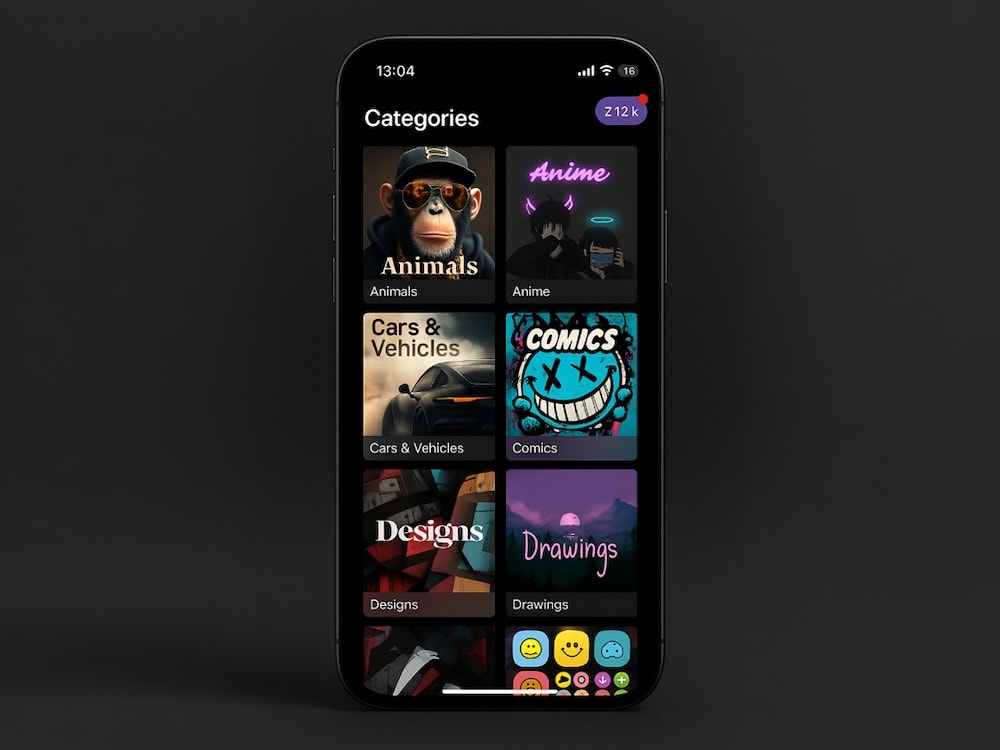
Explore a huge selection of pre-designed templates across every theme imaginable, from minimalist patterns to bold, vibrant artwork. Templates are perfect if you’re learning how to make wallpaper for a phone because you can customize without building everything from scratch.
You can personalize templates by adding your own text, overlays, or design elements.
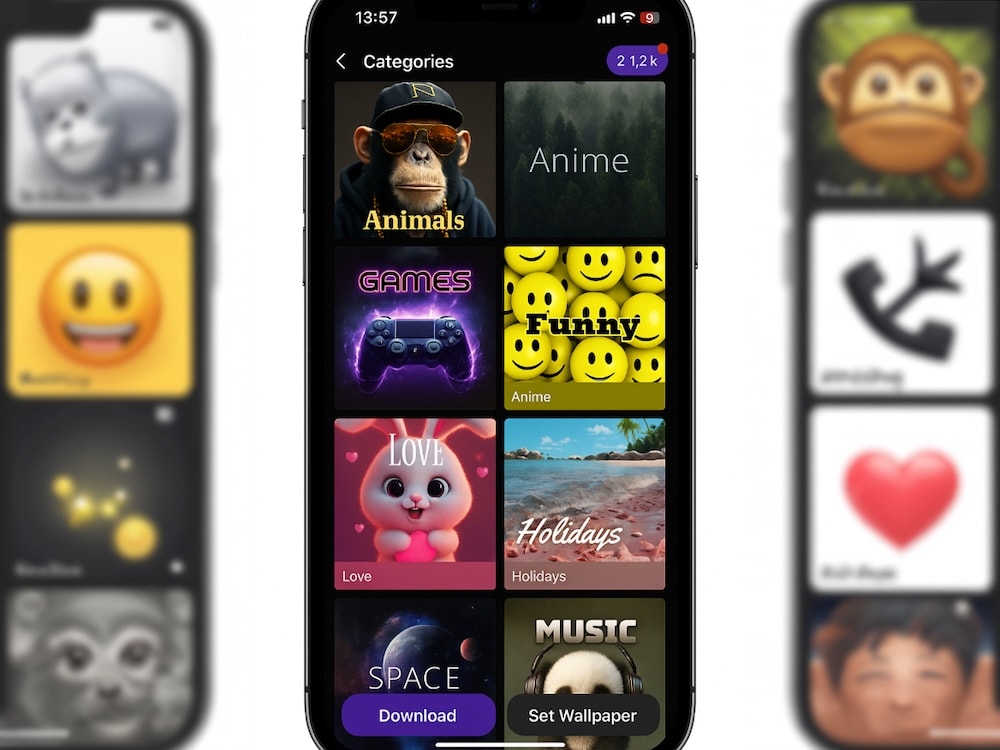
Popular categories include:
- Animal Wallpapers
- Anime Wallpapers
- Cars Wallpapers
- Funny Wallpapers
- Nature Wallpapers
- Space Wallpapers
- Gaming Wallpapers
- Love Wallpapers
Or browse our vast collection of wallpapers for a quick start.
2. Upload Your Own Photos
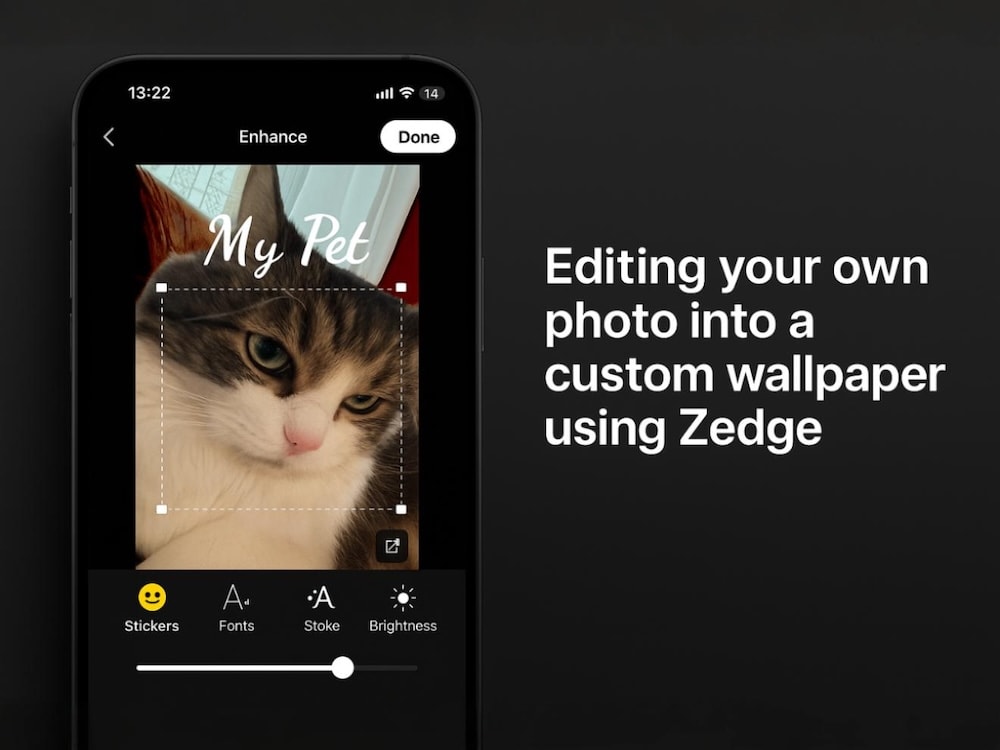
Want your pet’s photo as your lock screen? A favorite vacation memory? Or a mood board of your goals? Upload your own images directly into the app and make your own wallpaper for your phone for free using simple editing tools.
Use Zedge’s editor to:
- Crop or resize your image to match your screen size
- Adjust brightness, contrast, and filters
- Add stickers, emojis, and aesthetic fonts
- Layer elements to match your phone’s theme (Dark Mode? Neon? Vintage?)
This is one of the easiest ways to learn how to make phone wallpaper that feels personal.
Whether it's for your iPhone or Android device, your image will automatically be adjusted to fit common screen dimensions.
3. Try the AI Wallpaper Generator
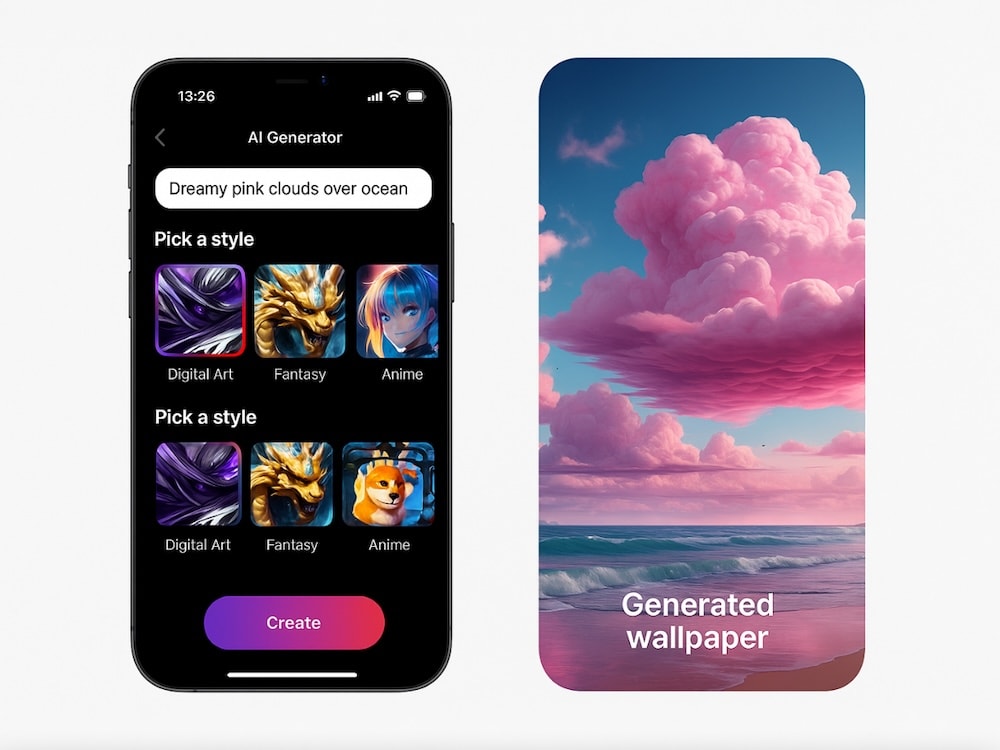
Feeling stuck or uninspired? Let Zedge's AI wallpaper generator do the magic for you.
Just type in a few keywords, like “dreamy sunset,” “cyberpunk cityscape,” or “soft pastel aesthetic”, and watch as the AI creates stunning wallpapers based on your prompts. It's perfect when you want something unique, artsy, or just entirely different.
Pro tip: Combine AI-generated art with Zedge's editing tools to add your own twist.
4. Build a Theme With Icons and Widgets
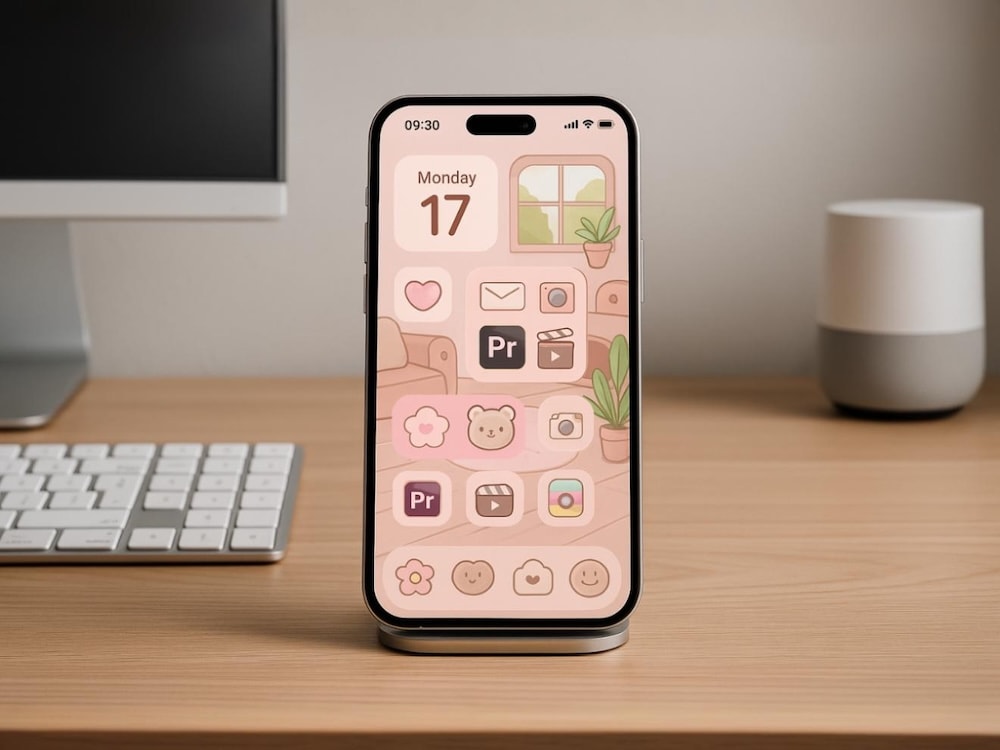
Creating a cohesive look? Match your wallpaper to your app icons and widgets for a full mobile device makeover. Zedge offers:
- Themed icon packs for both iOS and Android
- Stylish widgets to complement your wallpaper aesthetic
- Coordinated ringtonesand notification sounds to take the theme even further
This step is great if you’re serious about making your own background that looks curated, not random.
5. Download and Apply Your Wallpaper
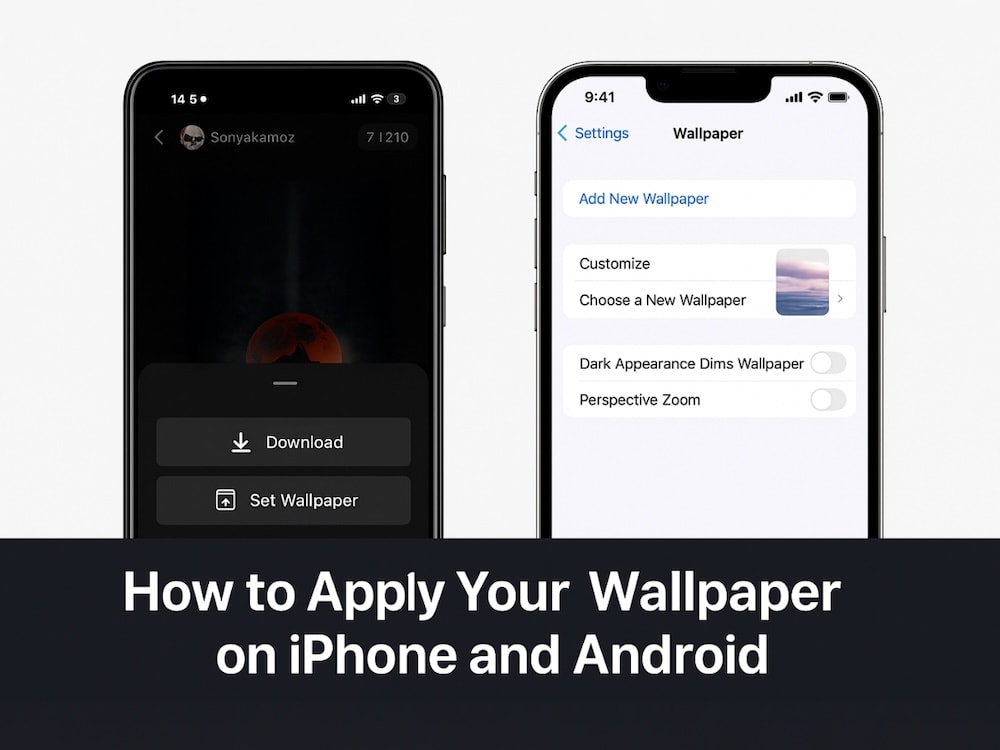
Once you've finished editing, hit download and set your new creation as your background. You can apply it directly from Zedge or through your phone settings.
iPhone users: Go to Settings > Wallpaper > Add New Wallpaper to apply your new look. If you’ve been searching for how to change wallpaper on iPhone easily, that’s the fastest route.
Android users: Tap and hold your home screen, then select “Wallpaper & style.”
Want to keep your phone feeling fresh? Swap wallpapers weekly, follow trends, or let the AI surprise you.
If you’ve already created a few versions, you might also want to clear out old ones. Our guide on how to delete wallpaper on iPhone makes it easy to remove outdated Lock Screen setups and keep only your favorites.
Video wallpapers on iPhone
Some creators want motion instead of a static image. While this guide focuses on still wallpapers, it’s common for people to ask how to set a video as wallpaper on iPhone when they’re customizing their Lock Screen.
If that’s your goal, you typically need to convert a clip into a Live Photo format and set it through iPhone wallpaper settings. (Zedge also has live options if you’d rather skip manual conversion.)
Why Use Zedge to Make Wallpapers?
Zedge is more than just another wallpaper app. It's designed for people who want something better.
✨ Here’s why it stands out among the best wallpaper apps:
- Free wallpaper templates across every theme imaginable
- HD & 4K wallpapers tailored to your screen size
- Wallpaper maker + photo editing tools + AI generator in one app
- No design skills needed — seriously
- Tons of categories from Bollywood and comics to abstract designs
- Match your lock screen and home screen wallpaper with cohesive themes
- Safe and secure — no hidden fees or spammy pop-ups
If you’ve ever tried to make your own wallpaper app and felt overwhelmed, Zedge is a much smoother experience.
Explore Popular Wallpaper Categories on Zedge
Category | ||||
|---|---|---|---|---|
Ready to Make Your Phone Wallpaper Uniquely Yours?
With Zedge's wallpaper maker, AI tools, templates, and editing features, you've got everything you need to create a look that reflects you — effortlessly.
Get personal. Get bold. Start from scratch, or remix an existing wallpaper that better suits your style.
📲 Download Zedge Now and start creating. It only takes just a few clicks.
FAQs
How do I make easy wallpapers?
Use Zedge's free wallpaper templates or AI generator. Upload your own images or choose a pre-designed layout, then customize with text, stickers, or effects. No design experience needed.
How do I get a custom background on my phone?
Download Zedge, create or choose a wallpaper you love, and set it as your lock screen or home screen background. You can even customize widgets and icons for a full look.
How do I make a picture fit my phone screen?
Zedge's editor includes built-in cropping tools and screen size presets. Just upload your image, resize to fit your screen dimensions, and preview before saving.
How do I make my own background on iPhone?
Design your wallpaper in Zedge, then go to Settings > Wallpaper > Choose New Wallpaper on your iPhone and set your new design. You can customize the lock screen, home screen, or both.
Is there a wallpaper maker for a phone that doesn’t require design skills?
Yes, Zedge works like a wallpaper maker for a phone with templates, editing tools, and AI. It’s also a solid phone wallpaper creator for people who want quick results.
Can I create custom wallpaper for a phone using AI?
Absolutely. Zedge’s generator can help you make phone wallpaper based on prompts, and then you can edit it to fit your style.
How do I remove a wallpaper I don’t use anymore?
On iPhone, you can delete old wallpaper setups in Settings. If you need the exact steps, follow a guide on how to delete wallpaper on iPhone to remove unused Lock Screen wallpapers and keep things clean.
Can I set wallpaper on the Apple Watch, too?
Yes, but it works differently from an iPhone. If you’re wondering how to set wallpaper on Apple Watch, the closest equivalent is setting a Photos watch face and choosing the images you want as the background