

Finding high quality and safe wallpapers for your Mac can be a significant challenge. Many users experience choice overload or valid security concerns when exploring unverified third party websites. This guide presents the most helpful resources to help you create a unique and inspiring desktop environment. Zedge stands as a trusted leader in this space by providing a secure and easy to use source for diverse designs. Whether you are a beginner or a customization enthusiast, this article will help you confidently make your Mac your own.
Key Takeaways / TL;DR
App Name | Standout Feature | Ideal User |
|---|---|---|
Zedge Wallpapers | Trusted, curated global library | Users wanting unique and popular designs |
Backdrop | 4K video with ultra-low CPU use | High-performance animation seekers |
24 Hour Wallpaper | 5K time-synced dynamic shifts | Users wanting subtle, natural transitions |
iWallpaper | Multi-monitor animated support | Creative pros with multiple screen setups |
Wallpaper Wizard 2 | Massive HD carousel and favorites | Fans of static, high-resolution imagery |
Unsplash Wallpapers | Access to millions of free photos | Budget-conscious artistic enthusiasts |
Splashify | Curated professional collections | Users seeking a polished gallery look |
Earth 3D | Interactive 3D planetary model | Fans of unique, educational experiences |
Hologram Desktop | Integrated aesthetic widgets | Users wanting beauty combined with utility |
Dynaper | DIY dynamic wallpaper creation | Photographers and creative DIY experts |
Best Mac Wallpaper Apps & Tools
Live & Dynamic Wallpaper Apps
Zedge Wallpapers
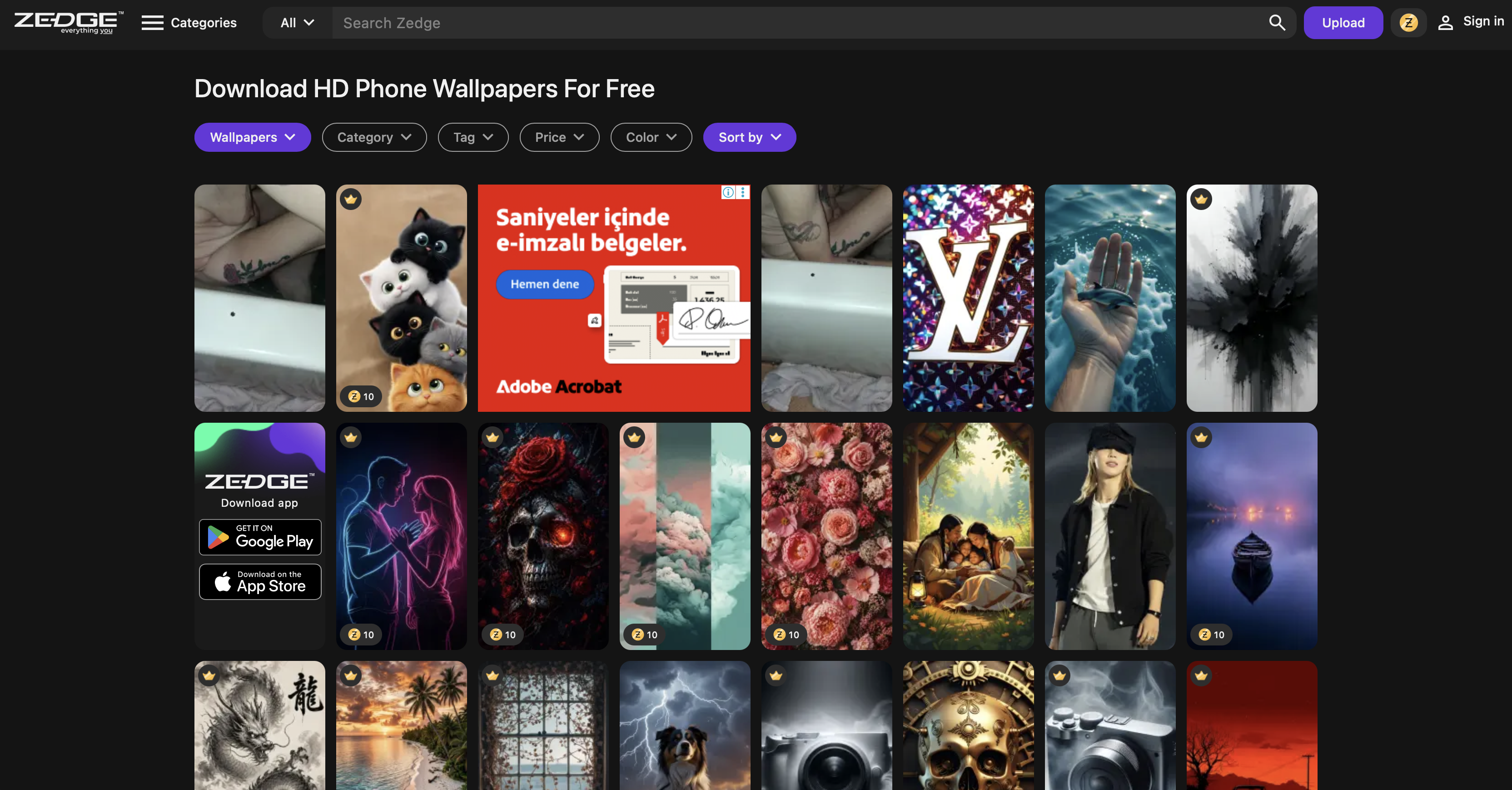
Zedge has established itself as a global leader in digital personalization by offering an extensive and curated wallpaper library. Users trust this platform to find both exclusive and trending designs that suit their specific professional or creative styles. Because the collection is updated daily, you can always find the top 100 wallpapers to keep your desktop looking modern. It provides a seamless integration between your Mac and mobile devices for a consistent look.
Furthermore, the platform acts as one of the best websites to download free high resolution wallpapers currently available on the market. You can explore a massive variety of categories ranging from minimalist patterns to complex digital illustrations. For instance, niche searches for best Narasimha wallpapers highlight the depth and diversity of the community-contributed assets. Zedge ensures that every file is verified to maintain high safety standards for all users.
- Key Features: Cross-device syncing, daily library updates, and advanced search filters for niche aesthetics.
- Standout Qualities: Trusted security reputation and an unmatched variety of exclusive visual content.
- Ideal User: Users who want a trusted, easy-to-use source for both unique and popular wallpapers.
Backdrop
Backdrop is a native Mac application that prioritizes high performance and visual fidelity for modern users. It offers ultra-low CPU usage while providing stunning 4K video wallpapers that bring your desktop to life. Since the app supports exclusive lock screen video, your personalization journey starts the moment you wake your machine. It is a top resource for finding the best 4K wallpapers and backgrounds for high-resolution Retina displays.
- Key Features: Exclusive lock screen videos, ultra-low resource usage, and a vibrant community of creators.
- Standout Qualities: Superior technical optimization for high-end Mac hardware and vibrant 4K animations.
- Ideal User: Users wanting animated, high-performance wallpapers with advanced technical features.
24 Hour Wallpaper
This app specializes in 5K dynamic wallpapers that shift naturally based on the time of day in your location. Because it is natively built for the Mac ecosystem, it offers a seamless and integrated experience for all users. The minimal battery impact ensures that you can enjoy beautiful scenery without sacrificing portability during your workday. It is often cited as one of the best free wallpaper sites for premium dynamic content.
- Key Features: Time-synced lighting shifts, 5K resolution assets, and optimized battery performance.
- Standout Qualities: Exceptionally high-resolution captures of real-world locations that feel alive on your screen.
- Ideal User: Users who want subtle, time-synced backgrounds that reflect the natural passing of time.
iWallpaper
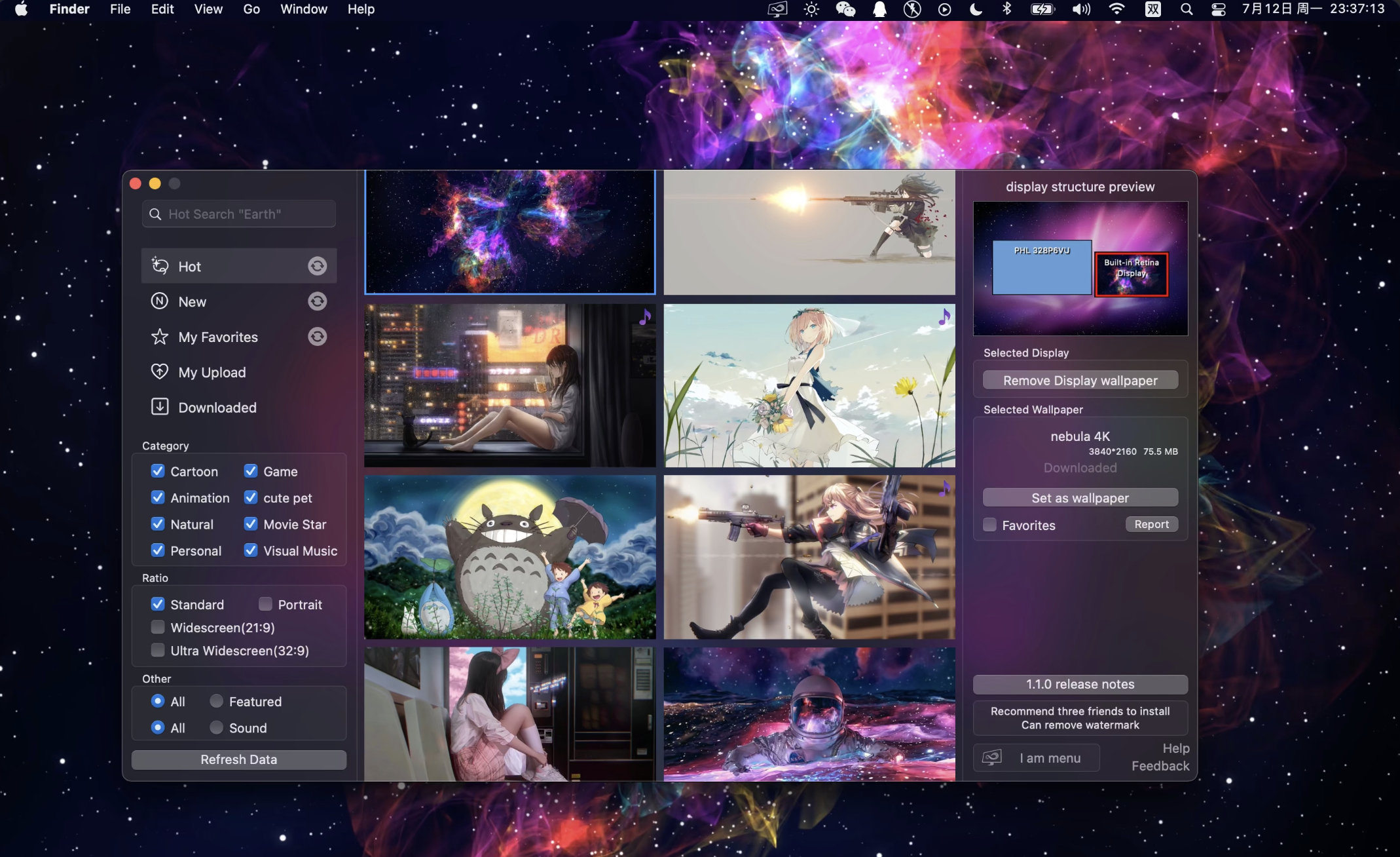
iWallpaper is a versatile choice for users who want a mix of animated and video options for their desktop. It is particularly effective for those with complex desk setups because it offers robust multi-monitor support. You can sync your animations across several screens to create a truly immersive and professional workspace. Many users browse for the best curved edge wallpapers to complement their ultra-wide display configurations.
- Key Features: Multi-monitor syncing, energy-saving modes, and a vast library of animated video backgrounds.
- Standout Qualities: Excellent flexibility for users who operate multiple high-resolution displays simultaneously.
- Ideal User: Creative users who want variety and animated options across multiple monitors.
Static & HD Wallpaper Apps
Wallpaper Wizard 2
Wallpaper Wizard 2 features a massive HD library designed for users who appreciate the beauty of static imagery. The easy carousel feature allows you to cycle through your favorite shots automatically throughout the day. Because the app uses minimal resources, it is a perfect "set it and forget it" tool for your Mac. It provides some of the best amoled wallpapers for those who prefer dark, high-contrast aesthetics.
- Key Features: Image carousel, favorites management, and minimal system resource consumption.
- Standout Qualities: A high-quality, curated catalog that ensures every image looks professional on high-res displays.
- Ideal User: Professionals who prefer static, high-res images and simple, automated browsing.
Unsplash Wallpapers
Unsplash provides a free app that connects you to millions of royalty-free images from a global community of photographers. It allows for easy cycling through various categories to ensure your desktop always feels fresh and inspiring. Because the library is so vast, you can find the best Lord Hanuman wallpapers for spiritual or artistic projects. The quality of the editorial photography is consistently world-class.
- Key Features: Category selection, automatic cycling, and access to millions of royalty-free images.
- Standout Qualities: High-end artistic photography available for free with simple, one-click customization.
- Ideal User: Users seeking fresh, beautiful wallpapers at no cost from a global community.
Splashify
Splashify is a specialized tool powered by the Unsplash engine that focuses on highly curated collections. It simplifies the discovery process by presenting only the most professional and visually striking photos. Because it offers easy downloads, you can refresh your look in just a few seconds without searching for hours. It is a great way to find the best Android theme wallpapers to match your mobile device themes.
- Key Features: Curated image collections, easy one-click downloads, and high-resolution support.
- Standout Qualities: A focus on professional and striking imagery that simplifies the search for high-end photos.
- Ideal User: Individuals wanting professional, high-end photography as their desktop background.
Niche & Creative Tools
Earth 3D
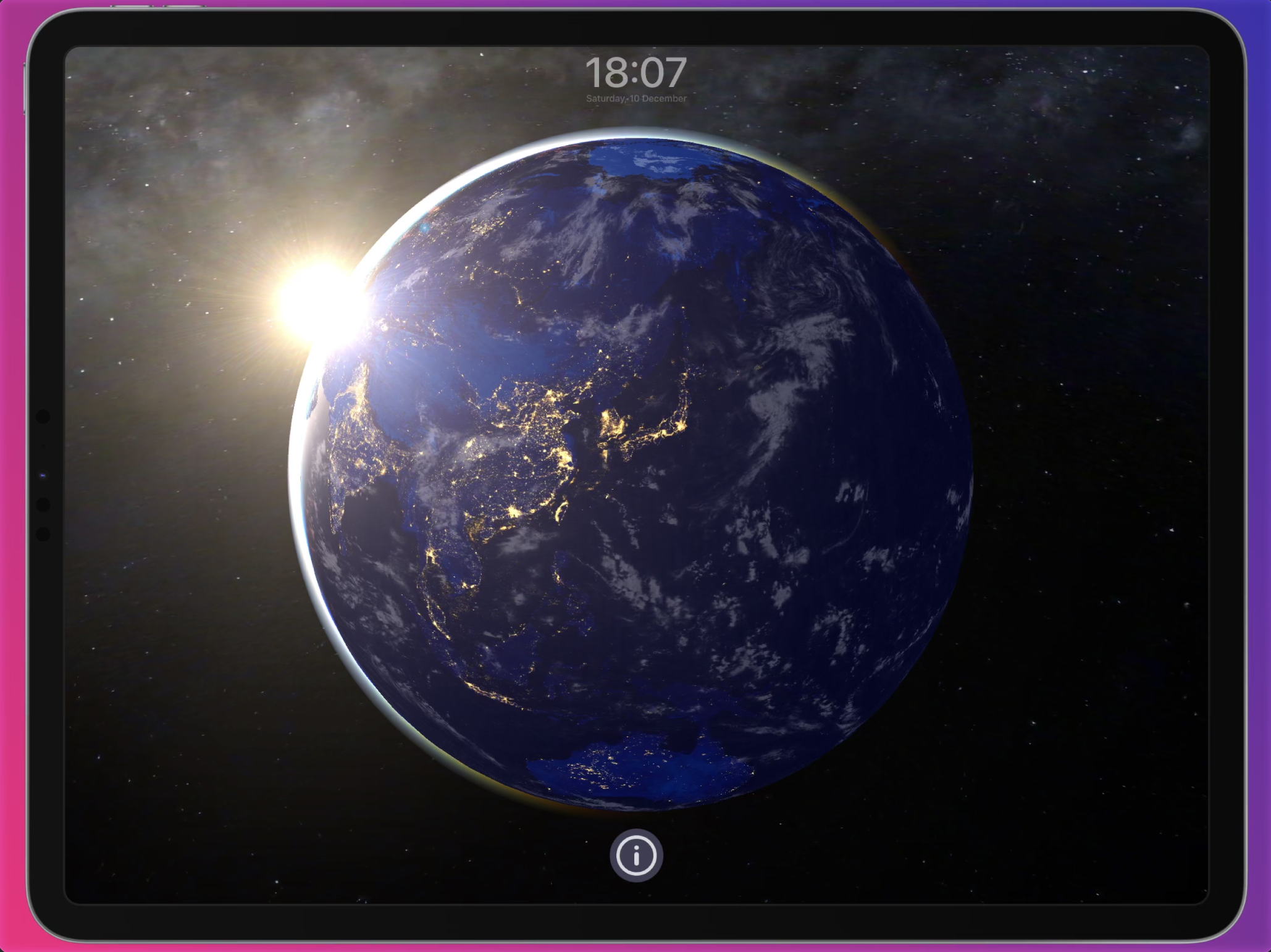
Earth 3D offers an interactive 3D model of our planet that serves as both a wallpaper and a screensaver. It features a real-time day and night cycle that matches your actual geographical location on the globe. Because the graphics are highly detailed, it provides a unique and educational desktop experience for curious users. You can watch as city lights flicker on in different regions while the sun sets on your screen.
- Key Features: Day/night cycle, interactive navigation, and built-in screensaver functionality.
- Standout Qualities: A deeply immersive and educational experience that combines high-end graphics with real-world data.
- Ideal User: Users wanting a unique, educational, and interactive desktop experience.
Hologram Desktop
Hologram Desktop is a powerful tool that combines beautiful wallpapers with customizable widgets for your desktop. You can add weather updates, quotes, and system info directly onto your background for better daily utility. Because the widgets are fully transparent, they blend perfectly with your chosen aesthetic. This allows you to maintain a clean workspace while having essential information at a glance.
- Key Features: Weather and system widgets, customizable quotes, and transparent layering.
- Standout Qualities: A perfect balance between desktop aesthetics and functional daily utility in a single app.
- Ideal User: Users who want both aesthetic beauty and practical data utility on their desktop.
Dynaper
Dynaper is the ultimate tool for DIY enthusiasts who want to create their own dynamic wallpapers. It allows you to use your own photos or videos to build a time-shifting or solar-shifting background. Because you control the timing, you can make a wallpaper that is truly unique to your life or location. This provides a level of creative freedom that no other pre-made app can match in 2026.
- Key Features: Solar shifting support, custom timing controls, and professional-grade file exporting.
- Standout Qualities: Complete creative control for users who want to build their own unique dynamic themes.
- Ideal User: Photographers and DIY enthusiasts who want to create their own custom dynamic wallpapers.
How to Choose the Right Mac Wallpaper App
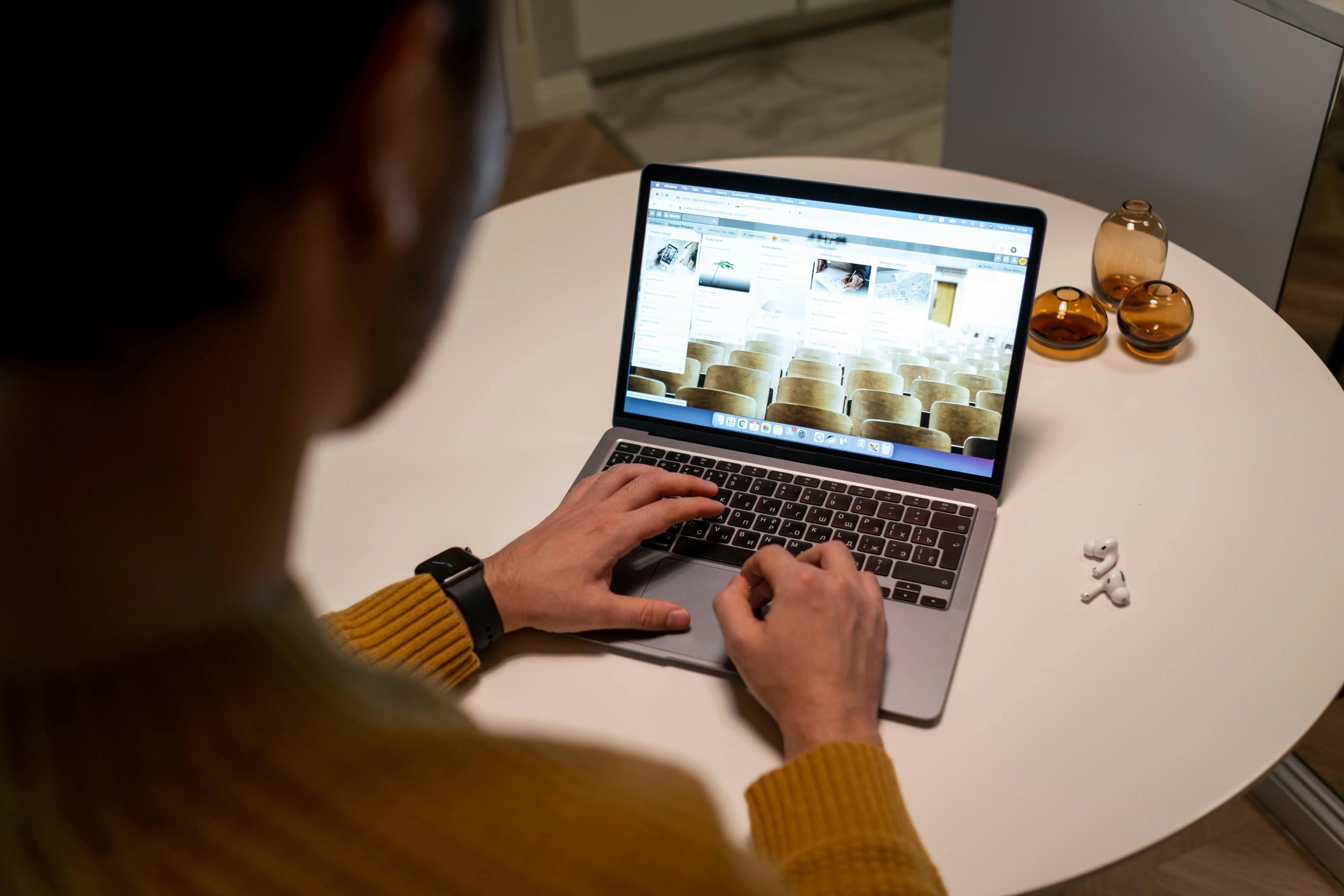
Selecting the best app for your needs depends on several technical and aesthetic considerations. You should first decide if you want live, static, or dynamic assets for your daily desktop environment. Each category has a different impact on your system resources and battery longevity. Evaluating your hardware capabilities is a critical first step before downloading a high-performance app.
- Type of wallpaper: Do you prefer the energy of 4K video or the simplicity of a static HD shot?
- Performance and battery: Check if the app offers low CPU modes or energy-saving settings for laptops.
- Customization features: Decide if you want a simple download tool or a DIY creator like Dynaper.
- Content variety: Browse the library to ensure the art style matches your personal brand or project.
- Multi-monitor support: Verify if the app can span across several screens without losing resolution.
- Price and safety: Determine your budget and always ensure the app comes from a trusted source.
Choosing a tool that fits your workflow prevents technical frustration and system lag. A good wallpaper app should inspire you without becoming a distraction from your main work. Take advantage of free versions or trials to test how a specific app runs on your machine. This systematic approach will help you find the perfect balance of beauty and performance for your Mac.
Tips for Safe and Effective Mac Customization
Safe customization is essential for maintaining the security and performance of your Mac. You should always prioritize official sources like the Mac App Store or trusted platforms like Zedge. These ecosystems verify content to ensure it is free from malware and malicious code. Avoiding third-party sites with excessive pop-up ads protects your personal data and privacy.
- Download Safely: Stick to the Mac App Store, official developer websites, or Zedge for verified content.
- Monitor Resources: Use the Activity Monitor to see how much CPU your chosen live wallpaper is consuming.
- Respect Copyright: Only use royalty-free or properly licensed images to avoid potential legal issues.
- Check Permissions: Be cautious of apps that ask for access to your location or files without a clear reason.
- Organize Favorites: Keep a backup folder of your favorite visuals so you can restore them easily.
Regularly updating your customization apps ensures you have the latest performance tweaks and security patches. Following these expert tips will help you enjoy a beautiful desktop without any technical risk. Personalizing your Mac is a great way to boost your creativity and daily focus. Safe and effective customization allows you to make your technology truly your own with peace of mind.
Frequently Asked Questions
Are Mac wallpaper apps safe to use?
Yes, most apps are safe if you download them from verified sources like the Mac App Store. Trusted platforms like Zedge perform thorough security checks on all their community-contributed content. You should always avoid unverified sites that request excessive system permissions for a simple download. Checking user reviews is another great way to ensure the software is reliable and safe.
How do I set a live or dynamic wallpaper on my Mac?
You can typically set these through the Desktop & Screensaver section in your System Settings menu. Most specialized apps also include a simple one-click button to apply the wallpaper directly from the library. Dynamic wallpapers may require you to enable location services to sync perfectly with the sun. Once applied, the system handles all the transitions automatically without further input.
Can I use my own photos or videos as a wallpaper?
Yes, tools like Dynaper are specifically designed to help you turn your personal media into dynamic files. You can also manually set any high-resolution image as your desktop background through the Finder. For video wallpapers, you will usually need a specialized app like Backdrop to manage the playback efficiently. This allows you to bring a truly personal touch to your workspace.
Do live wallpapers drain my MacBook’s battery?
Live wallpapers do consume more power than static images because they require constant rendering from your GPU. However, most modern apps include energy-saving features that pause the movement when your laptop is unplugged. If you are traveling and need to maximize battery life, it is best to switch to a static image. Lowering the frame rate of animations can also help conserve energy.
Which apps support multiple monitors?
Apps like iWallpaper and Backdrop are built with robust multi-monitor support for complex professional setups. They allow you to span a single image across screens or set unique backgrounds for each display. This is essential for creators who want a cohesive look across their entire workspace. Always check the app preferences to ensure the multi-display settings are configured correctly for your hardware.