

Apple’s iOS 26 brings a fresh wave of improvements focused on personalization, visual quality, and immersive experiences. While Apple continues to refine how iPhones look and feel, apps such as Zedge help users take personalization even further.
Below, we’ll look at the highlights of iOS 26 and explain how Zedge users can get the most out of their devices with One-Tap Ringtones, the Liquid Glass Interface, and Spatial Wallpapers.
A More Personal iPhone Experience with iOS 26
One of iOS 26's biggest themes is personal expression. Apple has made it easier for users to customize how their iPhone looks, sounds, and feels throughout the day.
This focus on personalization makes it the perfect match for apps such as Zedge, which are built around helping users express their style.
Cleaner Look with Native iOS Liquid Glass Design
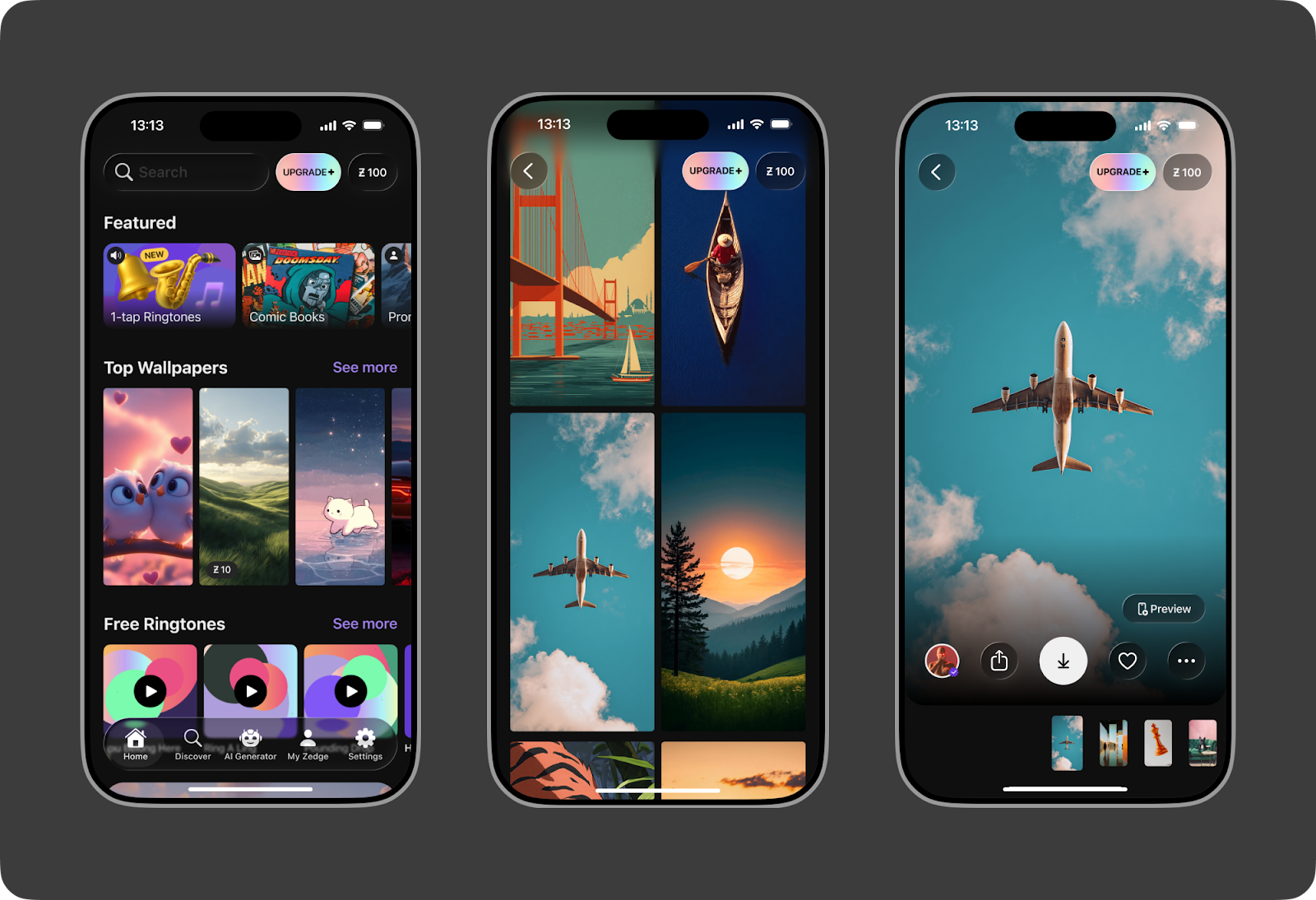
iOS 26 introduces Apple’s new Liquid Glass design style, which focuses on transparency, softness, and smooth visual layers. The interface feels modern and smooth, with visual elements that adapt naturally to the screen and content.
Zedge now fully embraces this native iOS Liquid Glass interface. The app follows Apple’s latest design language, so it feels right at home on iOS 26. Navigation is smoother, visuals are cleaner, and the overall experience feels more premium and intuitive.
This update makes Zedge not only more beautiful, but also easier and more comfortable to use for iOS 26 users.
Sounds That Match Your Style
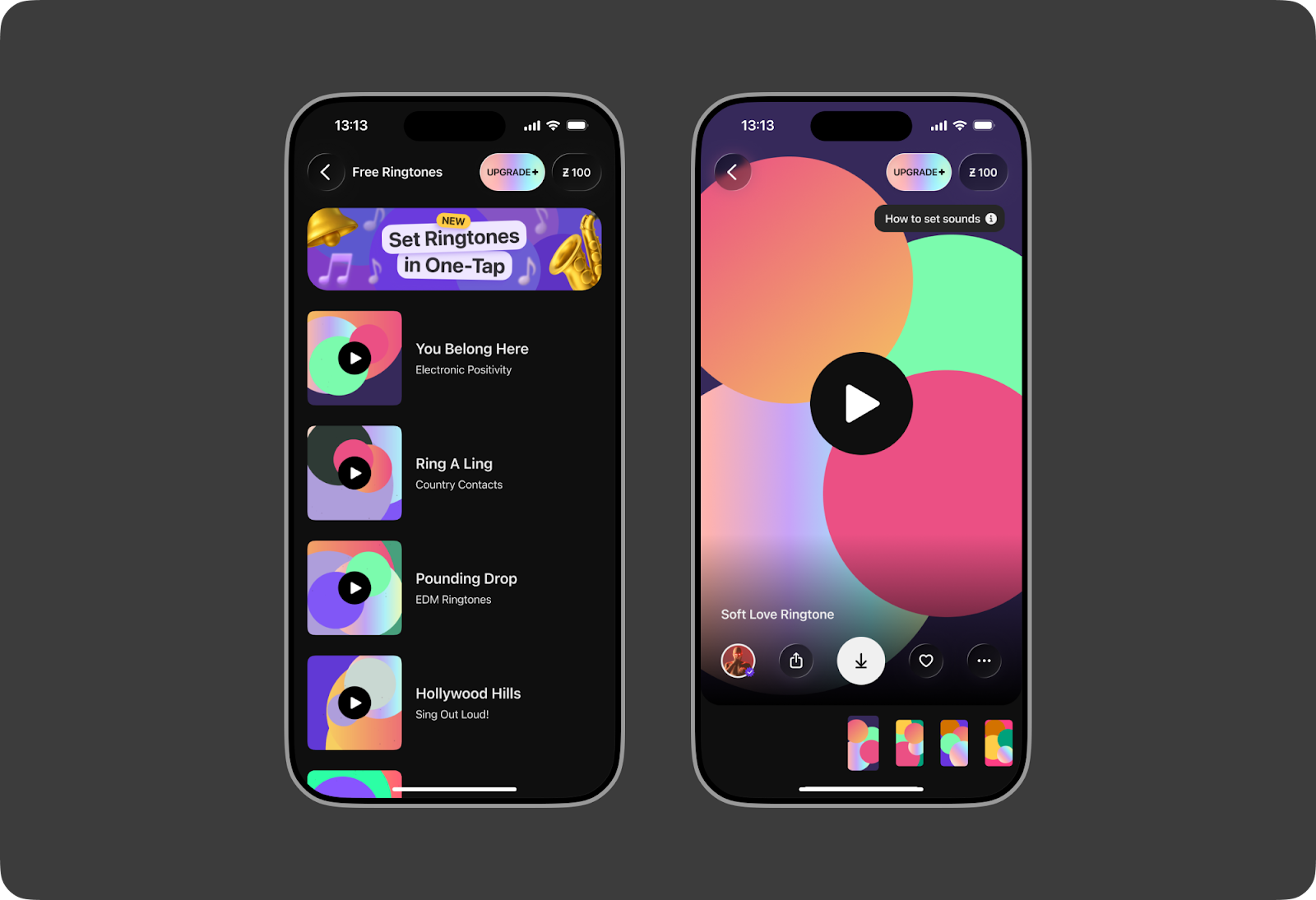
Apple continues to improve how users interact with sound on their iPhones; iOS 26 makes system audio feel more seamless and responsive.
That’s where Zedge Ringtones come in. With just a single tap, users can set a ringtone that matches their personality. No complicated steps, no technical setup.
Whether you prefer something bold, fun, calm, or minimal, Zedge’s Ringtones make it incredibly easy to customize your sound experience on iOS 26.
Immersive Wallpapers for Lock Screens
Visual depth and immersion are a major focus in iOS 26, especially when it comes to the Lock Screen and Home Screen.
Zedge’s Spatial Wallpapers take full advantage of that focus. These wallpapers are designed to create a sense of space and motion, making your screen feel more dynamic and alive as you move your device.
On iOS 26, Spatial Wallpapers blend naturally with the system’s smooth transitions and modern visuals, giving your iPhone a premium, next-generation look.
Why Zedge Is the Perfect Companion for iOS 26
iOS 26 gives users more freedom to personalize their devices, but Zedge is what truly unlocks that potential.
With Zedge, iOS 26 users can:
- Instantly customize their sound with One-Tap Ringtones
- Create depth and immersion with Spatial Wallpapers for the Lock Screen
- Personalize iMessage chats with custom backgrounds that reflect their style
- Polish their Home Screen with Zedge widgets for a more aesthetic look
And Zedge does all of the above in a simple, user-friendly way, perfectly aligned with Apple’s focus on ease and elegance.
Final Thoughts
iOS 26 is all about smoother visuals, deeper personalization, and a more immersive iPhone experience. When combined with Zedge, users can go beyond default settings and truly make their device their own.
If you’re using iOS 26 and want your iPhone to look and sound unique, Zedge gives you the tools to do it quickly, beautifully, and effortlessly.